
A focused workspace for coding agents.
Projects, provider sessions, execution surfaces, and review tools in one local-first desktop application.
Download · Website · Documentation · MCP integration · Report an issue
Table of contents
| Workspace layer | Responsibility |
|---|---|
| Project | Repository context, settings, and related work. |
| Thread | Task-specific conversation, state, files, and history. |
| Provider session | The authenticated coding-agent runtime executing the task. |
| Workspace tools | Changes, terminal, browser, files, editor, previews, and Git. |
[!NOTE] Synara is early-stage software. APIs and interface details remain under active development.
Capabilities
1. Projects, threads, and context
Organize work around projects and threads. Projects define the workspace; threads preserve the task-specific conversation, state, files, and history.
- Project-aware navigation and conversations
- Provider and model selection per task
- Thread history, status, recaps, notes, and side chats
- Search and quick access across active work
2. Integrated workspace tools
The tools surrounding an agent session remain available from the same task surface, keeping execution and review connected.
| Surface | Purpose |
|---|---|
| Changes | Inspect diffs, changed files, and review state. |
| Terminal | Run commands in the project environment. |
| Browser | Keep local previews next to the thread and let agents use semantic or page-declared WebMCP tools. |
| Files / Editor | Browse, inspect, and edit project files in context. |
| Git | Work with branches, commits, pushes, and pull requests. |
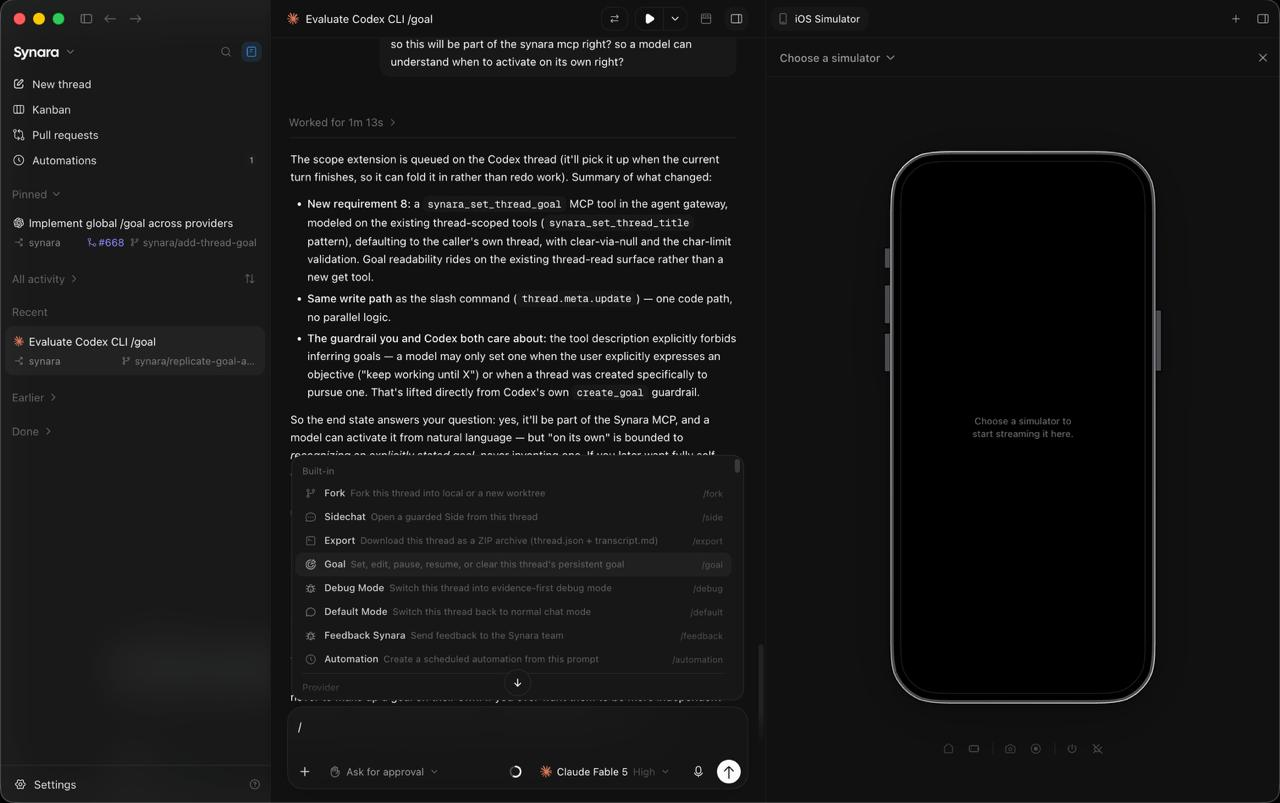
3. Split views and previews
Keep an active conversation alongside the surface it is changing. Split views, browser previews, and device previews make the result part of the working context.
4. Provider-native integrations
Synara connects to coding-agent runtimes that are installed and authenticated locally. The current development build includes the following integrations:
| Runtime | Local integration |
|---|---|
| Codex | Codex CLI / app-server |
| Claude | Claude Code |
| Cursor | Cursor agent runtime |
| Antigravity | Antigravity CLI |
| Grok | Grok Build |
| Droid | Factory Droid |
| OpenCode | OpenCode and its configured model providers |
| Pi | Pi and its configured model providers |
| Devin | Devin CLI |
5. Isolated parallel work
Managed worktrees provide a boundary for parallel changes. Handoffs preserve project context when a task needs to continue with another provider or toolchain.
- Run work in a local checkout or an isolated managed worktree
- Keep parallel threads from modifying the same checkout unintentionally
- Hand off a task without losing its project context
- Review the resulting diff before it leaves the workspace
6. Automations and external MCP
Automations support recurring agent runs and keep their outcomes attached to projects and threads. External MCP integrations provide scoped, user-approved access for other local clients.
See External MCP integrations for setup, pairing, project access, and permission boundaries.
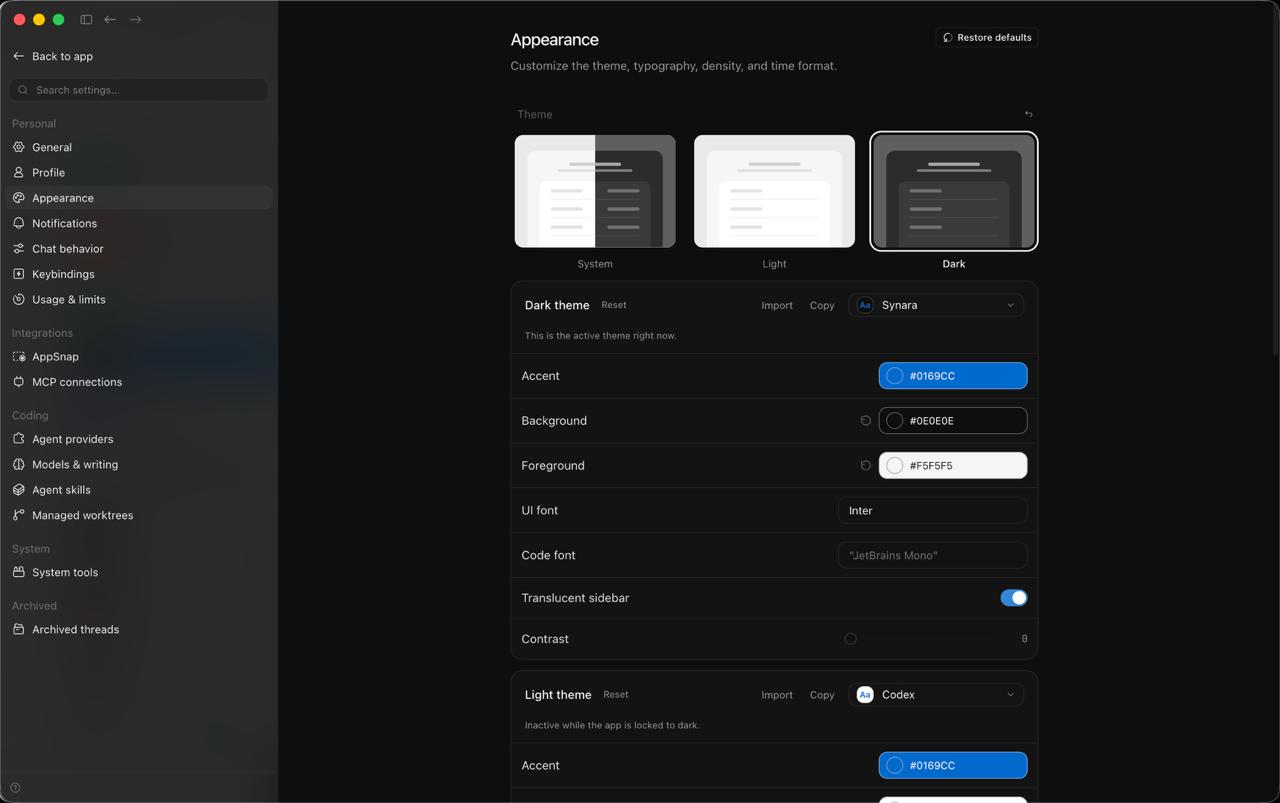
7. Appearance and workspace preferences
Configure the shell to match the way you work with light and dark themes, typography controls, density preferences, and workspace settings.
Additional capabilities
| Workflow | Included surfaces |
|---|---|
| Workspace | Local projects, chats, history, and multiple provider runtimes. |
| Execution | Terminals, browser previews, files, and editor. |
| Delivery | Diffs, Git actions, managed worktrees, and pull requests. |
| Orchestration | Provider handoffs, automations, and scoped external MCP. |
| Development | Desktop shell plus focused server and web modes. |
Installation
Desktop application
Download the latest build from GitHub Releases or visit trysynara.com.
Current native release targets are Windows x64, macOS Intel, macOS Apple Silicon, and Linux x64.
Provider setup
Synara uses the provider installations and subscriptions already configured on the local machine. Install and authenticate the runtime you intend to use before starting a session. For Codex sessions, follow the Codex CLI setup.
Run from source
The development checkout uses Bun 1.4.2 and Node.js 24.13.1.
git clone https://github.com/Emanuele-web04/synara.git
cd synara
bun install
bun run dev
bun run typecheck checks all seven workspaces with TypeScript 7 and the native
Effect checker. CI and each workspace's typecheck script use the same compiler.
bun run typecheck:native remains an alias for the default check.
The native Effect checker does not enforce every legacy rule: in particular,
importFromBarrel errors are currently missed. bun run typecheck:legacy keeps
the TypeScript 5 check available for explicit comparisons; it is not run by CI.
The existing compiler also remains installed for build and declaration tools
that require its JavaScript API. Native and legacy checks use separate caches.
Use these named scripts rather than a bare tsc, whose version depends on the
current directory. Normal installation patches the native compiler for Effect;
the root typecheck command also ensures that patch is applied before checking.
Contributing
Bug fixes, reliability improvements, performance work, documentation, and maintenance changes are welcome.
Read CONTRIBUTING.md before opening a pull request. For a reproducible problem, open an issue with the Synara version, operating system, runtime, and relevant logs.
License
Synara is licensed under the MIT License.