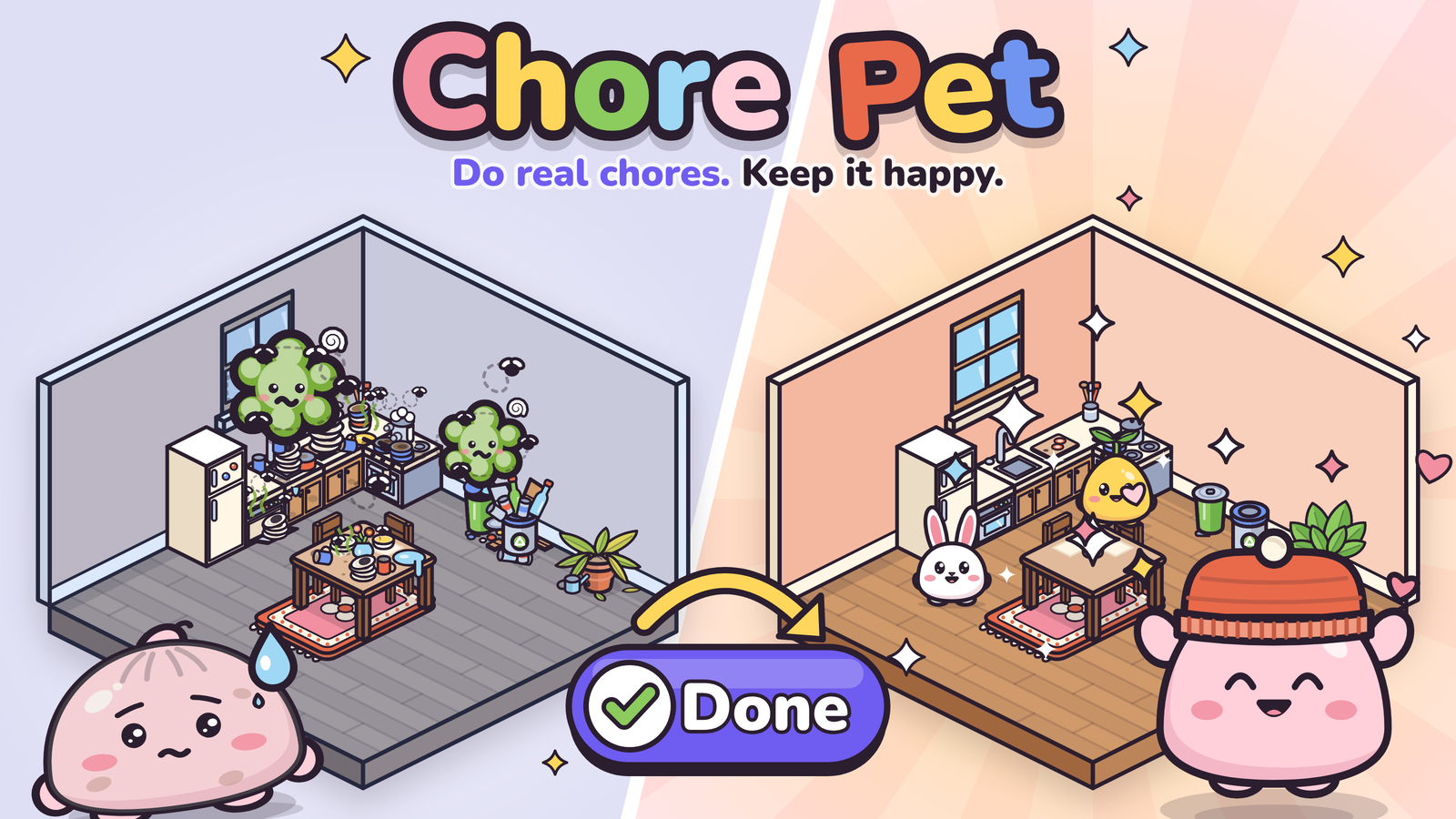
A tiny pet that lives in a home you build. Every object brings real chores; keep up and it thrives, fall behind and the mess shows up in its room. Working name, built for Hackyard Yard #4.
Try it
Open the app and tap Try a sample home: a furnished kitchen with two late chores. Finish the dishes and you get your first gift. Or tap Build my home, pick Mochi, Bun or Sprout, and build a room: every object you place brings its chores.
Setup
npm install- Create a Supabase project, then in Authentication settings turn on Allow anonymous sign-ins.
- Run the files in
supabase/migrations/in order (0001to0009) in the Supabase SQL editor (or with the Supabase CLI). - Copy
.env.exampleto.envand fill in your project URL and anon key. npm run dev
The app also runs without Supabase keys: everything is saved on the device (IndexedDB) and the account section says so. That's handy for UI work.
Multiple rooms
In Build, choose Add room to add a kitchen, bedroom, bathroom, living room, or another room. Rooms join edge to edge with shared walls and open doorways. The selected room stays bright while the rest fade. Tap a room, enter a doorway, or use Focused room to switch; your pet runs there through the connected rooms, avoiding furniture. Changing your mind mid-run redirects it from its current position. With reduced motion enabled, it arrives immediately.
Build mode keeps doorway approaches clear of furniture (rugs are allowed). Existing layouts are preserved; if furniture blocks a route, the pet stays where it is and asks you to clear the path. Moving the obstruction lets it continue. Switching rooms cancels an unfinished furniture placement. Zoom in to arrange furniture, scroll around the home, or choose Fit home to see it all.
Furniture and styles are saved per room through the existing local and cloud storage. Room order and focus are remembered on this device. Chores cover the whole home, and completing one focuses its room. Sharing uses the focused room.
Accounts (saving progress across devices)
Everyone starts as a guest (an anonymous Supabase user). In Settings a guest can save their home with email or Google. This links the same user, so no data moves. On another device, "Sign in" replaces that device's guest home with the saved one. To enable it, in Supabase:
- Authentication > URL Configuration: set the Site URL to the live URL and add it to Redirect URLs. Use a separate Supabase project for local development, with
http://localhost:5173as its redirect URL (see the checklist below). - Authentication > Sign In / Providers:
- Keep Email on. Leave "Secure email change" on: the guest confirms the address from a link.
- To offer Google, turn on Google with an OAuth client ID and secret.
- Turn on Allow manual linking, which Google linking (
linkIdentity) needs.
Production checklist (Supabase dashboard)
These settings live in the dashboard, not in the migrations, so set them by hand on the live project:
- Apply
0006_tenant_integrity.sql(SQL editor, orsupabase db push). It stops one account from attaching rows to another account's home, adds size limits, and addsdelete_my_account()for Settings > "Delete my home and account". If an older database has rows that point across accounts, it deletes them first; the comment at the top of the file has a query to count them beforehand. - Rate limits (Authentication > Rate Limits): every visit can create a guest, so keep anonymous sign-ins per IP low (for example 30 an hour), and keep the email sending limit low too (sign-in and save links). (Don't turn on CAPTCHA without app changes: the app doesn't send a captcha token, so guest sign-in would fail.)
- Redirect URLs (Authentication > URL Configuration): only the live URL. Remove any
localhostentry from the production project, so a sign-in link can't be sent back to a local server; develop against a separate project instead. - Optional: delete guests nobody has used in months. Section 5 of
0006_tenant_integrity.sqlhas a pg_cron job, left switched off, with instructions.
What is stored and how players delete it is in docs/PRIVACY.md.
Deploy
Live at https://robertg761.github.io/chore-pet/. .github/workflows/pages.yml checks every pull request (lint, unit tests, build, browser tests) and deploys main to GitHub Pages:
- One-time setup: Settings > Pages > Source: GitHub Actions.
- For cloud sync, add the repository secrets
VITE_SUPABASE_URLandVITE_SUPABASE_ANON_KEY(Settings > Secrets and variables > Actions), then re-run the workflow. Without them the live app keeps everything on the device.
The anon key is public by design: row-level security in the migrations protects the data. To host somewhere else, npm run build produces a static PWA in dist/. Set BASE_PATH when it is served from a sub-path.
Dev tools
/?artopens the art gallery (every pet, pose, item, object and mess state, plus a sound audition row)./?devopens the time panel, which skips days to show mess, sickness and recovery. In a dev build, a long-press on the top-left corner opens it too.
Scripts
| Command | What it does |
|---|---|
npm run dev | Dev server |
npm test | Unit tests |
npm run test:multiroom | Browser checks against an offline local dev server; see scripts/test-multiroom.mjs for setup |
npm run build | Typecheck and build the PWA |
npm run lint | Lint |
npm run test:browser | Browser tests against the production build in dist/ (run npm run build first; set CHROME to use an existing Chrome, see scripts/browser/README.md) |
npm run icons | Regenerate the app icon PNGs |
npm run demo:record | Record the demo video from the production build in dist/ (see scripts/record-demo.mjs) |
npm run cover | Render the cover and social card into docs/media/ (build first; see scripts/cover.mjs) |
npm run demo:story | Record the story demo video (FORMAT=landscape for 16:9; see scripts/record-story.mjs) |
npm run showcase | Render the earlier screenshot showcase into demo/showcase/ (see scripts/showcase.mjs) |
Docs
docs/SPEC.md: what we're building and whydocs/PLAN.md: phased build plan and task split for Claude Code subagentsdocs/ART.md: art direction and character rulesdocs/SUBMISSION.md: the Hackyard write-updocs/PRIVACY.md: what is stored and how to delete it