Write a word. Make it real.
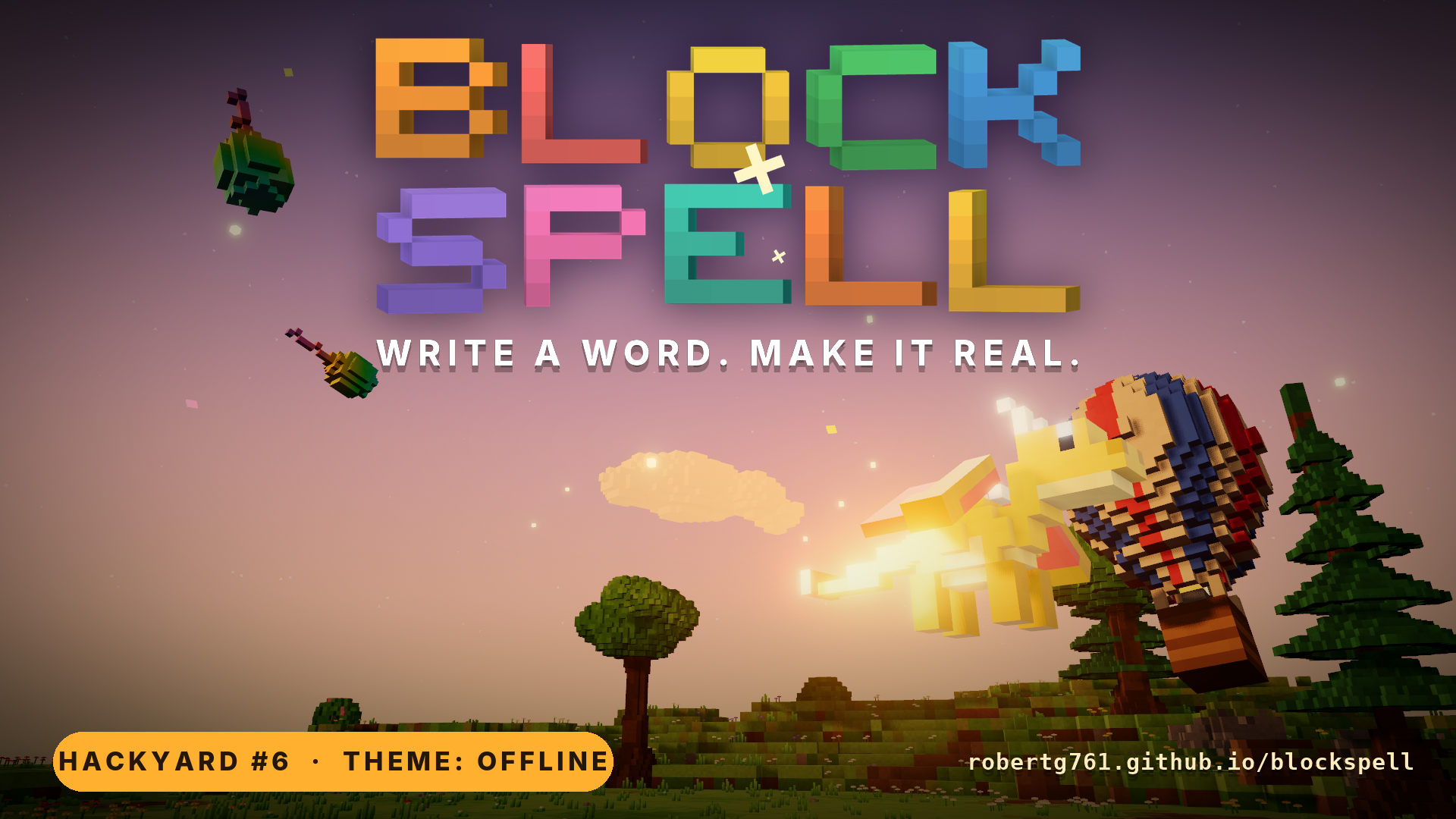
Blockspell is a 3D voxel puzzle game that runs in your browser. Type the name of a thing (ball, dog, fire, ladder…), optionally with adjectives (big red ball, flaming box, 3 tiny balloons), and a voxel object pops into a physics world. Objects carry behavior tags (flammable, hot, wet, bouncy, flies, edible, eats…), so they interact on their own: fire spreads to wood, dogs chase bones, balloons float away and pop near flames. Solve each level by summoning the right things.
Built for Hackyard Yard #6: "Offline".
▶ Play it in your browser · ⬇ Download for Windows, macOS, Linux and Android · 🎬 Watch the demo video · How the offline part works
How to play
Pick a level from the title screen (▶ Play continues where you left off, ☰ Levels shows every level with your saved stars). Each level has a one-line goal. Summon things to reach it, using as few spells as you can.
| Key / action | What it does |
|---|---|
| WASD / arrows | Walk (relative to the camera) |
| Shift | Run |
| Space | Jump. Walking into knee-high steps climbs onto them |
| W next to a ladder, rope, tree or stairs | Climb. At the top you hop over the edge. Space grabs on from the air |
| Enter (or T, /) | Open the spell bar. Type a spell and press Enter to cast it. Esc closes it |
| Click the ground | Send the next spell there instead (the glowing marker). Without a click, spells land a step in front of you, and the marker shows where |
| E near an object | Grab it: light things go overhead, tools go in your hand, heavy ones are dragged. E again sets it down |
| E near a vehicle | Get in. E again gets out |
| C while holding something | Use it: saw, chop, eat, light, splash... The prompt says what it does |
| F while carrying | Throw it the way you're facing |
| Q while carrying | Turn it 45° before you set it down |
| Click an object | Poke it |
| Drag / scroll | Orbit / zoom the camera, which follows the hero |
| R or ↺ | Restart the level |
| Tab or 📖 | Spellbook of discovered words |
| ⚙ | Settings: music and sound volume, effects, screen shake, tips, camera speed, day and night, guide, HD voxels, erase progress |
| P or 📷 | Photo mode (see below) |
| Gamepad | Left stick or d-pad walks, right stick orbits, A jump, X grab or get in, B throw (or close a panel), LB/RB turn, LT or stick click run, RT use, Y spell bar, Start Journal, Back spellbook |
Surprise me. In Free Play, the 🎲 button next to the spell bar (or "🎲 Surprise me" on the
title screen) stages a short scene: a cat chasing a mouse chasing cheese, a snowman meeting a
campfire, a wall meeting some flaming TNT... Your first visit to Free Play opens with one. The
scenes live in src/surprise.ts, which is a good place to add more.
In Free Play there's no hero, so typing anywhere goes straight to the spell bar, and your pointer is the hand: drag a thing to move it, let go to drop it, flick to throw it, and click a vehicle to drive it (the keys work as they do in a hero level until you get out). It hovers over whatever is under the pointer, so you can stack things too. On touch screens, hero levels show a joystick with Jump and Climb buttons, plus Grab, Throw, Turn and Use when they apply. Pushing the joystick all the way runs. Tips about the controls pop up the first time you need them.
Carrying things. Walk up to almost anything you've cast and a prompt names it, with a ring under what E would grab. Things up to 16 kg (a box, a dog, a plank, a bridge) go over your head, and heavier loads slow you down more. While you carry one, the ring shows where it will land, so you can stack it on something or stand a ladder up against a ledge. You can carry things up ladders too. Things up to 45 kg (stairs, a ramp, a rock) are dragged: you pull or push them along the ground, slowly and without jumping. Animals and engines over 16 kg won't be dragged, and anything heavier is too heavy to move. A low ceiling knocks a carried thing out of your hands, and thrown things hit as hard as they fly, so a thrown crystal shatters. Ghostly things can't be held.
Riding things. Cast a vehicle and it waits for you: walk up and press E to get in. W and S are throttle and brake, A and D steer, and the camera swings round behind you. In anything that flies, Space goes up and Shift goes down. A plane needs speed: hold W down the runway, then pull up with Space, and slowing down over the void ends the way you'd expect. Cars, trains and skateboards roll, boats sail (you can't hop out in deep water), and helicopters, UFOs, hot air balloons and rockets go straight up. A rocket only has so much fuel, and C next to one lights it with nobody aboard. Cows, bears, pigs, sheep and dragons can be ridden too. Hard crashes hurt: a battered vehicle trails smoke, and one more knock wrecks it and throws you clear. Walk up to a vehicle with a pet or a parcel in your arms and E takes it along on your shoulder, and F drops it from the air. In Free Play, click a vehicle or a big animal to take the controls, and E gets you out again. Anything hot lights a waiting rocket, so flaming rocket takes off by itself.
Wearing and holding things. A jetpack or wings go on your back when you grab them: hold Space in the air to boost, or tap it to flap, and they're ready again when you land. Hold an umbrella, a parachute, a kite or a balloon and you fall slowly.
Using things. Hold something and press C to use it. A chainsaw or axe cuts down trees (the ones already in the world too) and anything wooden, and a tree gives two logs. A pickaxe or hammer breaks rock, ice and anything fragile, and rock may have a coin in it. A sword slashes small wooden things and pops balloons. Torches light things, buckets put out fires, keys open doors, TNT gets its fuse lit, and food gives you a burst of speed and bounce. Books give a hint, gifts open, coins flip, and you can pet whatever animal you're holding. Things that belong to a level or task can't be cut down, and creatures are safe from every tool. Chairs, benches and pillows are for resting (a short sit gives you a boost), balls can be kicked, pianos played, and a rope in hand is a lasso. Lay planks or logs next to each other and C builds with them: two planks make a ladder, three a bridge, and two logs a boat, with no spell needed. Coins that come out of rocks and buildings, and the three you get for finishing a task, go in your purse: the 🪙 button sells new shirts and swift boots. Rocks, cottages, pillars and fences in the scenery break too, and come back when the level reloads.
In Free Play there's no hand but the pointer. Drag a tool onto what you want to break and hold it there, drag food to a hungry animal, or hold a bucket over a fire. Click a jetpack or wings to wear them, and click gifts, books, coins, pianos and TNT to set them off.
Stars. Every successful cast counts as one spell, however many words it has:
"ladder", "giant plank" and "3 tiny balloons" are 1 spell each, and spells that fail to
cast (unknown words, out of range) are free. Solve a level within its par for ★★★, or
within twice par for ★★. The HUD counter, the end-of-level summary and the stars all use
this same count. Your best result per level is saved in localStorage. Some levels limit how far from the hero you can cast, so you
can't simply summon the answer next to the goal.
Spells
[count] [adjectives…] noun, for example ladder, giant plank, 3 tiny balloons,
very big flaming dog.
- Size: tiny, small, big, giant. very doubles an adjective.
- Color: red, blue, green, golden, rainbow…
- Magic: flaming, frozen, hot, wet, heavy, light, flying, bouncy, sticky, slippery, ghostly, angry, fast, slow, metal, magnetic, explosive, glowing, alive, wooden, tasty
- Counts: 3 balls, two dogs (up to 5)
- It reads like English. Say it however you like: please make me a sleepy puppy, dog food, a bowl of soup, cat on fire, pizzas. Plurals, filler words, "a pair of" and a trailing "x3" all work, and so do a few hundred everyday synonyms (a poodle is a dog, dog food is a bone).
- Honest guesses. If Blockspell has no model of a word but knows a close cousin, it casts that and says so (horse gives a cow, pasta a pizza). A kind word like food or vehicle gives a random one. Typos are fixed only when it is clearly one word (dragn, bannana, ice creem); it never swaps in a different word that merely looks similar. Anything else gets close-match suggestions.
- Where it lands. Spells appear a step in front of the hero (the glowing marker shows where). Click the ground to send the next spell somewhere else instead.
Some favourite words: ladder, stairs, ramp, bridge, plank, trampoline, spring, rope, balloon, hot air balloon, rocket, jetpack, plane, car, chainsaw, axe, pickaxe, fan, magnet, bomb, tnt, water, cloud, ice, snowman, bucket, fire, torch, bone, steak, cheese, dog, cat, mouse, robot, hut, tree, star. Objects with a direction line up with your aim: bridges and planks span from the hero toward the marker, ramps rise toward it, and stairs climb away from you.
The open world (Explore)
▶ Play opens the open world: eight small islands (zones) joined by paths, each with a few tasks. Open the Journal with J (or Start on a gamepad) to see them. A task is finished by what happens, not by one right spell, and each has at least three ways to solve it. The Journal counts the ways you've found.
- Meadow Commons, Cliffside, Ember Village, Farmstead, Lily Lake and Sky Ruins
- Windmill Hill (new): spin the windmill sails (a fan, a passing rocket or a blast will do), ring the bell on its gallows (anything flying into it, or a bang nearby), and climb the treehouse.
- New since then: fly through the rings over the Commons, deliver a parcel to the islet, and clear the fallen tree at Harvest Camp.
- Harvest Camp (new): grow a tree from a single seed (it needs water: pour some, bring a cloud, or cast a wet seed), make camp (a tent, somewhere to sit and a light on the flat pad), and play a tune on the piano by dropping things on it.
- Guide. A soft beam and a compass arrow point to the nearest task you haven't done. Turn it off in ⚙.
- Finale. Finish every task and the world celebrates. 🏆 Trophies (over thirty, from your first spell to casting at night) are listed in the Journal and on the title screen.
- Day and night. The sky drifts from day to sunset, night (with stars) and dawn while you play. The 🌤 and 🌦 buttons on the right edge set the sky and weather (clear, rain, snow) by hand.
Make it yours
- Autocomplete. The spell bar suggests words you've discovered as you type. Tab or → accepts the ghost text, ↑ ↓ pick from the list.
- Side tools. The strip on the right edge has 📷 photo, ⏱ time (normal, slow, slower, paused), 🌤 sky, 🌦 weather and 🏆 trophies everywhere, and in Free Play also ↶ undo (removes the last cast), 🧹 clear and 🔗 share.
- Photo mode (P or 📷) hides the UI, lets you orbit freely and freeze time (F). Space saves a PNG with a small watermark. Esc leaves.
- Share a scene. 🔗 copies a link like
…/#scene=ball@2,3;dog@-1,4. Opening it replays those spells in Free Play. Links hold spells only, nothing else, so they stay short. - Settings (⚙) are saved in
localStorageand can be reset, together with your progress.
More ways to play
- Pinned spells. Press ☆ in the spell bar to pin what you typed (or your last spell) to a hotbar of up to nine slots above it. Click a slot or press its number to cast it (Alt + number in Free Play, where plain digits belong to the spell bar). Right-click a slot to unpin. Your spell history (↑ ↓) and pins are saved between visits.
- Two-step hints. In the Journal, Hint nudges and Show me a way (spoiler) reveals the spells of one known solution, with a button that pins them.
- Lab notebook. The 🏆 panel also lists 17 experiments (set something on fire, melt a snowman, feed a dog, start a chain reaction, grow a tree from a seed...). Each is ticked the first time you make it happen.
- Ten new words: lantern, pumpkin, haystack, scarecrow, tent, bench, bubble, seed, fence, piano. A seed that gets wet grows into a tree; a piano rings a note when something lands on it.
- Little creatures. Fireflies at night, butterflies by day and a few birds overhead (⚙ turns them off).
- Music that follows the sky. The tune slows and softens at night, turns minor in rain and bell-like in snow.
- Photo looks and clips. Photo mode has six looks (natural, warm, cool, vivid, vintage, noir), shown live and baked into saved pictures, and a 🎞 button that records a 6-second video clip.
- Performance. ⚙ has a Sharpness slider, an option to lower it automatically on slow devices, a switch for the glow effect and a frame-rate counter.
- Backups. ⚙ → Save a backup downloads your progress, trophies, spellbook and settings as one JSON file; Restore a backup loads it back (handy for moving to another device, or after clearing site data). Your journey shows spells cast, words found, tasks, trophies, experiments and time played.
Get it on a computer or phone
The title screen has a ⬇ Get the app link that opens a panel with the right option for the device you are on. The options:
| Where | How | Needs |
|---|---|---|
| Any phone, tablet or computer | Install the web app: Chrome and Edge show an install button, Safari uses Share → Add to Home Screen (iOS) or File → Add to Dock (macOS). | Open the game once online |
| Windows, macOS, Linux | Download the desktop app (Blockspell-win-x64.exe, Blockspell-mac-arm64.dmg, Blockspell-mac-x64.dmg, Blockspell-linux-x86_64.AppImage) from the latest release. | Nothing, ever |
| Android | Download Blockspell-android.apk from the same page and open it. | Allow installs from your browser once |
How can a browser game work offline? Blockspell makes no network requests at all: models, textures
and sound are generated in code. So "the game" is only a couple of MB of files. The first time you open it, a service
worker (scripts/sw-template.js, written into dist/sw.js by scripts/pwa-plugin.mjs) saves every one of
those files in the browser's cache. After that the page starts from the cache, with the Wi-Fi off. When a new
version is ready a toast offers "Reload now". The service worker only runs in production builds; add ?nosw to
the URL to skip it. The desktop and Android apps just carry the same files inside the app instead of a cache.
The apps are built by .github/workflows/release.yml: desktop/ is an Electron shell that serves the
built game from a private app:// address, and mobile/ wraps it in a Capacitor Android project and signs
the APK with a fixed, public sideload key (mobile/blockspell-sideload.keystore) so new APKs install over old
ones. They are not code-signed or notarised, so Windows says "More info → Run anyway" and macOS needs
right-click → Open. To publish a release, push a tag (git tag v0.1.0 && git push origin v0.1.0) or run the
workflow by hand with a tag name; the download links in the game point at releases/latest/download/….
Build them yourself (after npm run build):
cd desktop && npm install && npm start        # run the desktop app
cd desktop && npm run dist                    # installer for the OS you are on, into desktop/release/
cd mobile && npm install && npm run build-apk # needs JDK 21 and the Android SDK (ANDROID_HOME)
Levels (and some ways to solve them)
Every level has several solutions. Those listed here are scripted in the level file and replayed by the headless checker (see Development).
- Star on the Cliff. Bring the star down from a 2.5 m cliff (par 1). ladder (climb it, then walk into the star) · stairs (walk up, jump onto the ledge) · bomb cast on the ledge. Unscripted ideas: a boulder or giant ball dropped on top.
- Cross the Chasm. Get to the flag across a 4 m gap between floating cliffs (par 2). big bridge or giant plank aimed into the gap · trampoline or spring at the edge, then jump on it to bounce across.
- Put Out the Fire. The hut is burning and you have about 50 s (par 1). Walk up the path, then water · cloud (rain) · bucket · snowball · ice · giant snowman.
- Feed the Pup. A hungry dog sits in a tall pen, and your magic only reaches 1.8 m (par 2). Get on top of the wall or into the pen, then cast a bone (or steak, burger…): ladder + bone · stairs + bone · trampoline + bone · big box + box + bone.
- Sky Island. Reach the island floating 3.6 m up (par 2). trampoline · giant ramp · big ladder · giant stairs.
Works 100% offline
Blockspell makes no network requests at all. There's no CDN, no remote fonts, no analytics, and no audio, texture or model files to fetch:
- Every model, including the title logo, is generated in code from a small voxel DSL.
- Every sound effect and the music loop are synthesized live with the WebAudio API.
- The UI uses your system font stack.
three(including the bloom post-processing fromthree/examples) andcannon-esare bundled from npm at build time.
Once you've installed dependencies, it plays fine in airplane mode, and once it has been opened online it is installable and loads offline (see Get it on a computer or phone). To check a build:
npm run build
npm run check-offline   # scans dist/ for external URLs that would be fetched at runtime
npm run check-pwa       # manifest, icons, precache list; reloads three URLs with the network off
npm run check-tasks     # every open-world task solved by script, with resets, idle and leak checks
npm run check-spells    # the spell parser: thesaurus integrity and ~170 example phrases (no browser needed)
check-pwa and check-tasks drive Chrome through Playwright. They use /usr/bin/google-chrome,
or the path in CHROME. GitHub Actions runs all four on every pull request (.github/workflows/ci.yml),
and .github/workflows/pages.yml publishes dist/ to GitHub Pages from main (set Settings → Pages →
Source to "GitHub Actions" once).
check-offline fails (exit 1) on any http(s) or protocol-relative URL in a fetching
position: HTML/SVG resource attributes, CSS url()/@import, and JS fetch,
import(), new URL, WebSocket, Worker, .src = and similar. Harmless strings such
as XML namespaces, license comments and doc links are listed but don't fail the check.
Use --dir <path> to scan another folder.
Running it
Requires Node 18+.
npm install        # the only step that needs a network connection
npm run dev        # dev server with hot reload
Production build:
npm run build      # type-checks and outputs dist/
npm run preview    # serves dist/ at http://localhost:4173
dist/ is a plain static site with relative paths (base: './'), so any static
file server works, from any sub-path. For example:
cd dist && python3 -m http.server 8080
(Browsers won't load ES modules from file://, so use a local server rather than
double-clicking index.html.)
Development and automation
window.__blockspell is available in every build (see src/debug.ts):
load(n), cast('giant balloon', [x, z]), step(seconds) (synchronous simulation),
render(), state(), run(steps), solve(level, i) and solveAll(). Solutions can tap
the hero's action keys with { press: 'grab' | 'toss' | 'turn' }.
URL flags for screenshots:
?level=2skips the title. It takes an order number or an id.&spawn=giant%20ballooncasts a spell. Repeat it, or separate spells with;.&at=x,zsets where to cast.&t=2simulates 2 s before the first frame.&solve=0plays solution #0 live.&cam=x,y,z,tx,ty,tzsets the camera position and target.&mute,&nobloomand¬ipsturn off sound, bloom and the control tips.&hd=1/&hd=0forces HD voxels on or off (see below).&anim=full,&anim=liteor&anim=offsets the voxel animations' quality (see below).?levelsopens level select.?noswskips the service worker.#scene=ball@2,3;dog@-1,4replays a shared scene.
HD voxels: every voxel model is drawn with 4x finer, detailed voxels (bevels, mortar,
wood grain, grass blades...) while physics keeps the coarse model. It is on by default
and turns itself off on software rendering or a weak GPU; the ⚙ Settings panel (top right) or
the Journal's Graphics button switches it, and the choice is saved. Headless Chrome
renders in software, so automation that wants HD must force it with &hd=1
(BLOCKSPELL_HD=1 npm run check-tasks does). __blockspell.hd() shows the setting,
the geometry cache and the build workers.
Voxel animations: a cast object assembles itself, with its voxels flying in and snapping
into place bottom-up, then a rim flash, sparkle ring, light pulse and squash-and-stretch pop.
A change to an existing object (freezing, thawing, getting wet, catching fire, rainbow,
glowing...) sweeps across it voxel by voxel: a shimmering wave with the new look behind it
and a small bounce. Things that get used up, burn away, melt or are eaten dissolve: their
voxels break off, scatter and shrink away in a puff. It all runs on the GPU (a per-cell
shader patch on every object's materials, plus instanced cubes moved in the vertex shader),
looks the same with HD on or off, and is visual only: physics and game state change at
once, as before. Software rendering, weak GPUs, prefers-reduced-motion and a slow frame
rate get a shorter lite version without the flying voxels. __blockspell.anim() shows
the setting; BLOCKSPELL_ANIM=full npm run check-tasks runs the checks with the full version.
Game feel: every spell lands in a column of light with a spreading rune ring; hard landings knock,
puff dust and nudge the camera; explosions and the level-complete fanfare add a beat of hit-stop,
a flash and a little color fringing; comic words ("Whoosh!", "Nom!", "BOOM!") pop above what just
happened (src/ui/reactions.ts); the spell bar ticks as you type and types example spells into its
placeholder while empty. The final film grade (contrast, warm highlights, cool shadows, vignette) is
src/engine/grade.ts. Hit-stop, fringing, zoom punch and the camera swoop-in turn themselves off for
prefers-reduced-motion.
Dev-only pages (served by npm run dev, not part of the build):
tools/levels.htmlreplays every level solution headlessly and logs PASS/FAIL. From the shell, runtools/check-levels.shortools/check-levels.sh "level=chasm&dump"with the dev server on port 5199.tools/gallery.htmlrenders object models in a grid.tools/scenario.htmlruns scripted interaction scenarios.tools/fx.htmlpreviews the win celebration.
Guides: tools/level-brief.md for writing levels and tools/object-brief.md for objects.
What's in the box
110 spellbook words (plus the hero) across creatures, vehicles & flyers, building &
gadgets, nature, food and everyday things, each with a few synonyms (dog: puppy, doggo,
hound…). Interactions come from behavior tags (documented in src/core/tags.ts), for example:
- fire ignites flammable things, which char and burn away; TNT and bombs explode with impulse, shatter fragile things and set off chain reactions
- ice and snowmen melt near heat into puddles; water puts out fires and makes ice slippery; rain clouds soak whatever is below them
- balloons carry light things on a string; rockets and jetpacks thrust; fans blow; magnets pull metal; trampolines and springs launch; parachutes and umbrellas glide
- animals wander and chase their food (dog → bone, cat → mouse/fish, mouse → cheese, rabbit → carrot…), flee predators and fire, and swim or float in water
- heavy things smash fragile ones; keys unlock doors; sharp things pop balloons
Architecture
src/
  main.ts            entry point (title screen or ?level= query flags)
  game.ts            wires renderer, world, input, parser, levels and HUD; tick/step, win flow, camera follow
  debug.ts           window.__blockspell automation hook + URL query flags
  core/              engine-agnostic simulation
    world.ts         GameWorld: entities, physics, behavior dispatch, spawn juice, queries
    entity.ts        Entity: mesh + body + tags + state
    spawn.ts         ObjectDef + modifiers -> voxel mesh + cannon-es body
    tags.ts          documented tag list (open string type)
    events.ts        typed event bus (spawn, ignite, ate, popped, ...)
    registry.ts      id registry with import.meta.glob auto-registration
  engine/            rendering & juice
    renderer.ts      three.js scene, bloom post-processing, ACES tone mapping, soft shadows, fog, OrbitControls
    sky.ts clouds.ts backdrop.ts           procedural sky, voxel clouds, far-off islets
    terrain.ts noise.ts                    floating island: fine surface over tile-sized collision boxes
    scenery.ts       world models (trees, rocks, shrubs, flags, signs, kennel) and level block styles
    cover.ts         instanced grass tufts, wildflowers, toadstools and pebbles
    grain.ts         shader patch that adds 1/16 m speckle to terrain and level blocks
    particles.ts     pooled InstancedMesh voxel particles (lit + glowing)
    audio.ts         WebAudio synth sound effects
    music.ts         generative music loop on a lookahead scheduler
    fx.ts shake.ts tween.ts marker.ts      juice helpers
    life.ts          instanced fireflies, butterflies and birds
    voxanim.ts       GPU voxel animations: spawn assembly, change sweep, dissolve
  voxel/             voxel DSL (builder), palette, face-culled AO mesher, box decomposition,
                     HD voxels (hd-core.ts meshing in a worker, hd.ts cache, LOD and setting)
  objects/defs/      one file per spawnable object      <- add objects here
  adjectives/defs/   adjective modifiers                <- add adjectives here
  behaviors/defs/    per-tag behaviors                  <- add behaviors here
  levels/            goals.ts (goal helpers), progress.ts (localStorage stars), solve.ts (solution replay)
  levels/defs/       puzzle levels                      <- add levels here (see tools/level-brief.md)
  parser/            tokenize -> count -> adjectives + noun -> synonyms, near matches, kinds, safe typo fixes
                     (thesaurus.ts is the word list; `npm run check-spells` tests it)
  ui/                DOM HUD, level select, toasts, spellbook, tutorial tips, touch controls, voxel logo,
                     settings, trophies, photo mode, side tools, autocomplete, gamepad
  settings.ts trophies.ts share.ts pwa.ts   saved settings, trophy and lab-notebook rules, scene links, service worker glue
  save-data.ts photo-filters.ts             backup files and photo looks
  tasks/             open-world zones, tasks, predicates and their scripted solutions
scripts/             vite precache plugin, service worker template and the check-* scripts
desktop/             Electron shell for the Windows, macOS and Linux apps
mobile/              Capacitor project that builds the Android APK
Objects, adjectives, behaviors and levels are discovered automatically: drop a file
into the matching defs/ folder that default-exports a definition (or an array of
them) and it's registered. You don't need to edit any index file.
Adding an object
// src/objects/defs/rock.ts
import { defineObject } from '../types';

export default defineObject({
  id: 'rock',
  name: 'rock',
  synonyms: ['stone', 'boulder'],
  tags: ['heavy'],
  physics: { mass: 20 },
  build(b) {
    b.sphere(4, 3, 4, 4, 'stone');
  },
});
The keyboard hero is the hero object retagged with controlled
(src/behaviors/defs/controlled.ts). Grabbing, carrying and throwing live in
src/behaviors/defs/carry.ts and src/behaviors/lib/carry.ts.
Adding a behavior
// src/behaviors/defs/sticky.ts
import { defineBehavior } from '../types';

export default defineBehavior({
  id: 'sticky',
  tags: ['sticky'],
  contact(e, other, world) {
    /* ... */
  },
});
License
MIT © 2026 Robert Gordon