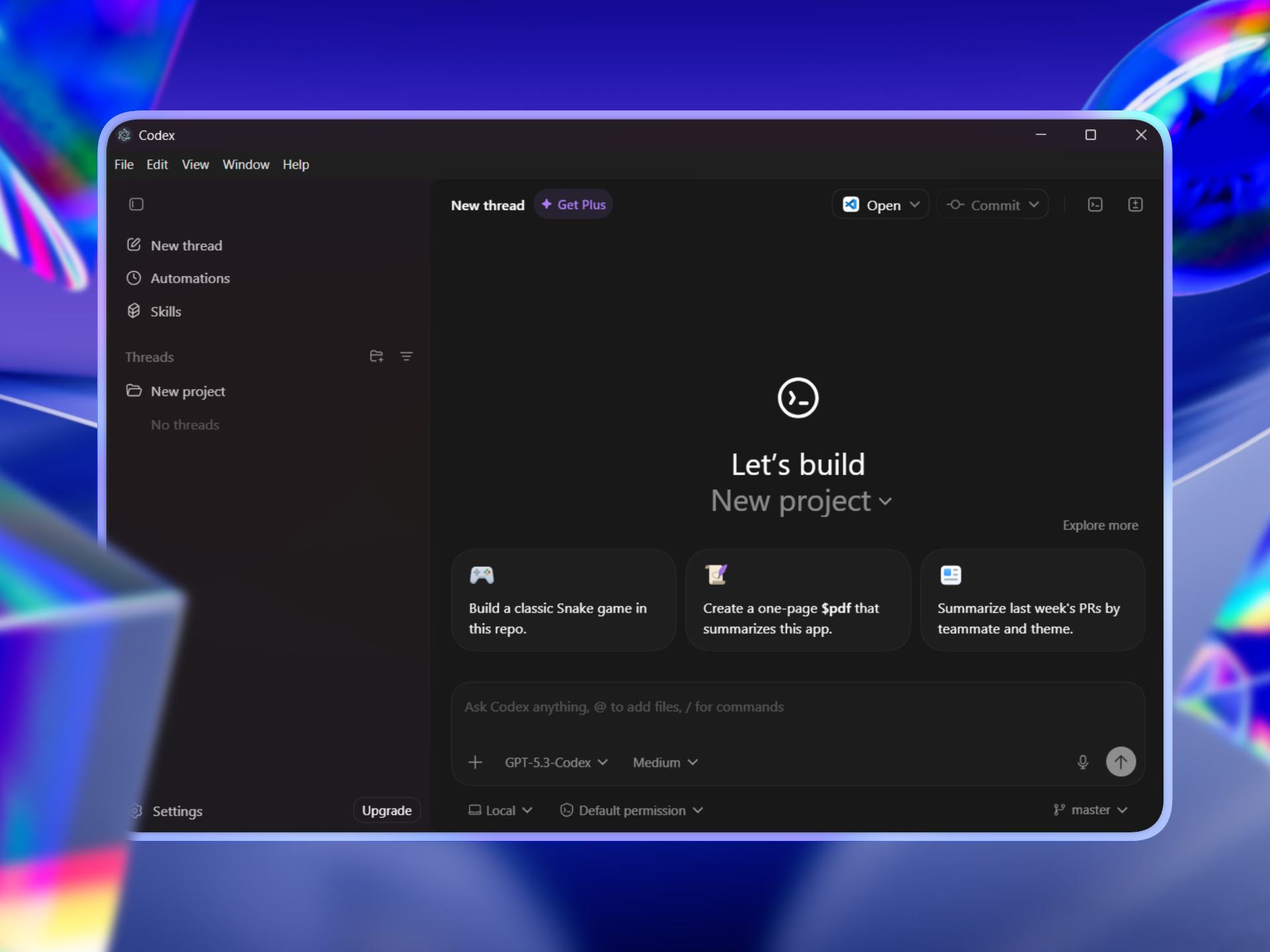
Run the Codex desktop app on Windows using the official macOS installer.
A Windows runner that extracts the Codex DMG (macOS installer), rebuilds native modules for Windows, and runs—or packages—the full Electron app. No official Windows build exists; this project bridges the gap so you can use Codex on Windows with a single script or a portable .exe.
Distinctive Features
Run from DMG
- One-time setup: Download the latest Codex DMG from the official website (or Codex releases) and place it in the root directory of Codex-Windows (e.g.
Codex.dmg). - No manual patching: The script extracts the app, swaps macOS-only native modules for Windows builds (better-sqlite3, node-pty), and launches Codex.
Portable build
- Single-folder app: Build a fully self-contained
Codex-win32-x64folder withCodex.exe, bundled Codex CLI, and a Desktop shortcut. - Truly portable: Move the entire folder anywhere (USB, another PC). No
run.ps1or Node.js required after building.
No official binaries shipped
- This repo does not ship OpenAI/Codex binaries. You supply the DMG and (for the first run) have the Codex CLI available (e.g.
npm i -g @openai/codex). The portable build bundles the CLI into the output folder.
Tech Stack
- Runtime: Node.js (for the build script)
- Packaging: Electron (version read from the app’s
package.json) - Native modules: better-sqlite3, node-pty (prebuilds or Visual Studio Build Tools for rebuild)
- Script: PowerShell (
run.ps1), 7-Zip (auto-detected; script attemptswingetinstall if missing)
Project Structure
Codex-Windows/
  Codex.dmg              # Place the DMG you download from the official website here
  image.png              # Preview image
  run.cmd                # Shortcut: run.cmd [options]
  scripts/
    run.ps1              # Main script: extract, patch, run or build exe
Generated output (extracted app, native builds, and the portable Codex-win32-x64 folder) is created locally and is not part of the repo.
Getting Started
1. Prerequisites
- Windows 10 or 11
- Node.js (for running the script)
- 7-Zip — preferred preinstalled; if missing, the script attempts
winget install --id 7zip.7zip -e - Codex CLI (for first run or if not building portable):
npm i -g @openai/codex
2. Codex macOS Installer (DMG)
- Download the latest Codex DMG from the official website and place it in the root directory of Codex-Windows (e.g. name it
Codex.dmg). - To use a different path or filename:
.\scripts\run.ps1 -DmgPath .\path\to\YourCodex.dmg
3. Install and run (quick run)
# From repo root
.\scripts\run.ps1
Or with the shortcut:
run.cmd
The script will extract the DMG, prepare the app, auto-detect codex.exe, and launch Codex.
Use run.cmd -h for usage/help.
4. Build a portable Codex.exe (recommended)
Build a self-contained app and a Desktop shortcut:
.\scripts\run.ps1 -BuildExe
- A Codex-win32-x64 folder is created (with
Codex.exeand resources). A Desktop shortcut is also created—double-click it to launch. - To move the app: move the entire
Codex-win32-x64folder, then create a new shortcut toCodex.exeif needed.
Do not move only
Codex.exe. It needs the surrounding DLLs,resources/, andlocales/folders.
Build without launching:
.\scripts\run.ps1 -BuildExe -NoLaunch
Usage summary
| Goal | Command / Action |
|---|---|
| Run once | .\scripts\run.ps1 or run.cmd |
| Build portable | .\scripts\run.ps1 -BuildExe |
| Custom DMG | .\scripts\run.ps1 -DmgPath .\path\to\Codex.dmg |
| Reuse existing | .\scripts\run.ps1 -BuildExe -Reuse (skips re-extract) |
| Custom work dir | .\scripts\run.ps1 -WorkDir .\mywork |
Troubleshooting
If you get 7z not found, install 7-Zip with:
winget install --id 7zip.7zip -e
If winget is unavailable, install 7-Zip manually, then rerun .\scripts\run.ps1 or run.cmd.
Notes
- This is not an official OpenAI project.
- Do not redistribute the Codex DMG or OpenAI binaries; use your own installer.
- Native modules: If compilation fails (e.g. no Visual Studio), the script tries prebuilt binaries. If none are available for your Electron version, install Visual Studio Build Tools and run again.
Creator: @dhruvtwt_